




As we approach the end of 2025, we have an important question for you: What word are you hoping will define your work life in 2026? If you’re thinking of something like “streamlined” or “simplified,” you’re in luck! We’ve just announced Gem’s December product updates to help you find the right people faster and move them through your process with less effort.
You can find a high-level overview below, or continue reading for more in-depth explanations and additional resources where you can learn more.
The TL;DR version
We've improved search intelligence, made it easier to manage candidates across jobs, and simplified scheduling workflows.
AI Sourcing Agent: Add ATS candidates as ideal profiles
Platform: Find active ATS candidates faster across Gem
Gem ATS: Transfer candidates between jobs
Gem Scheduling: New Hiring Meeting flow + smoother updates
Other key updates: Across Gem ATS and integrations
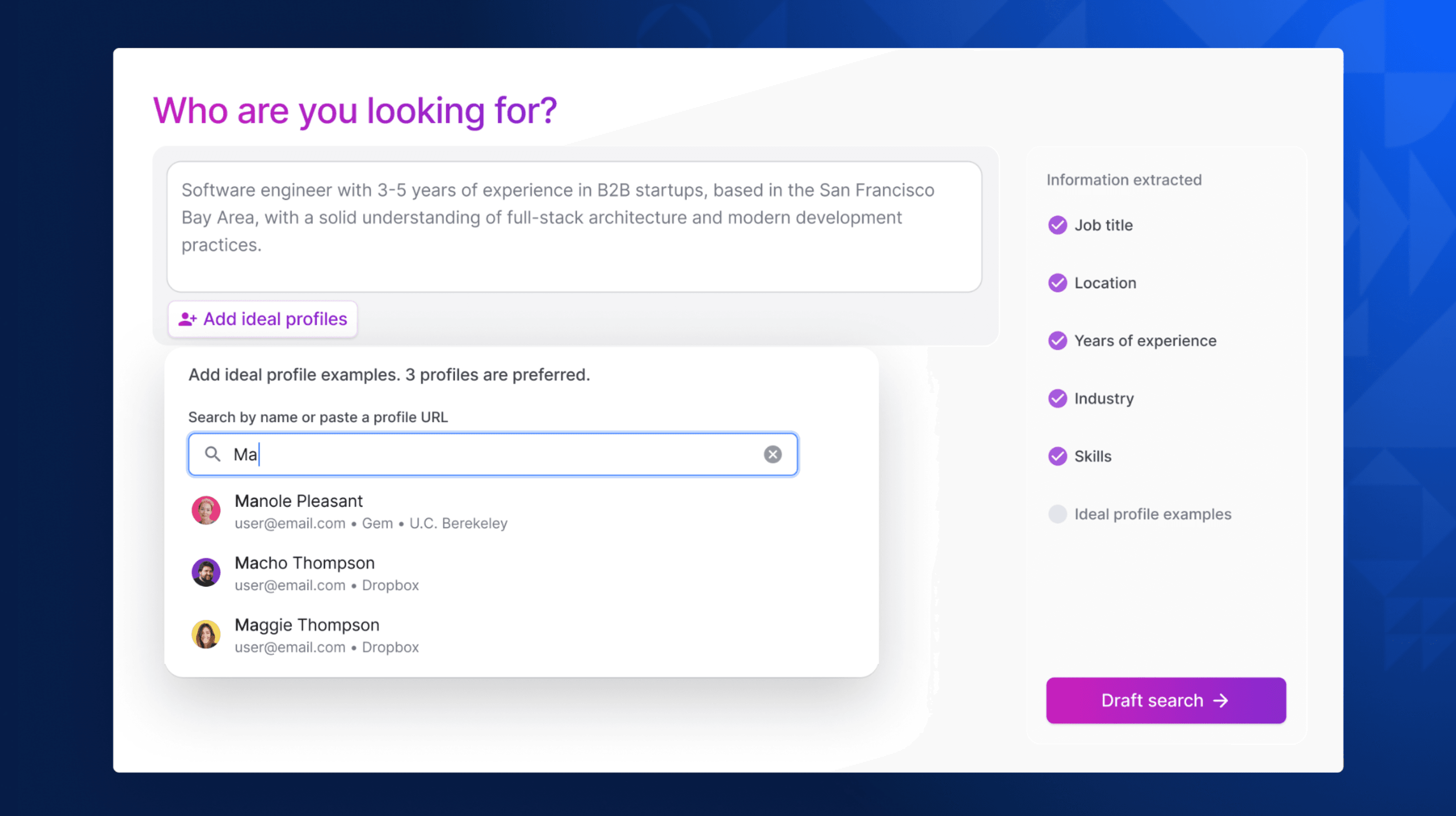
Learn from your best hires: Add ATS candidates as ideal profiles
Have you ever made a hire so good you wish you could clone them? We’re not quite there with the science, but you can get pretty darn close by learning from your best hires and using this information to get better matches. Ideal Profiles in Gem’s AI Sourcing Agent now support both Gem people and ATS candidates so you can seed a search with the exact profiles that performed best and get smarter recommendations faster. Try it out the next time you kick off a search with Gem’s AI Sourcing Agent.

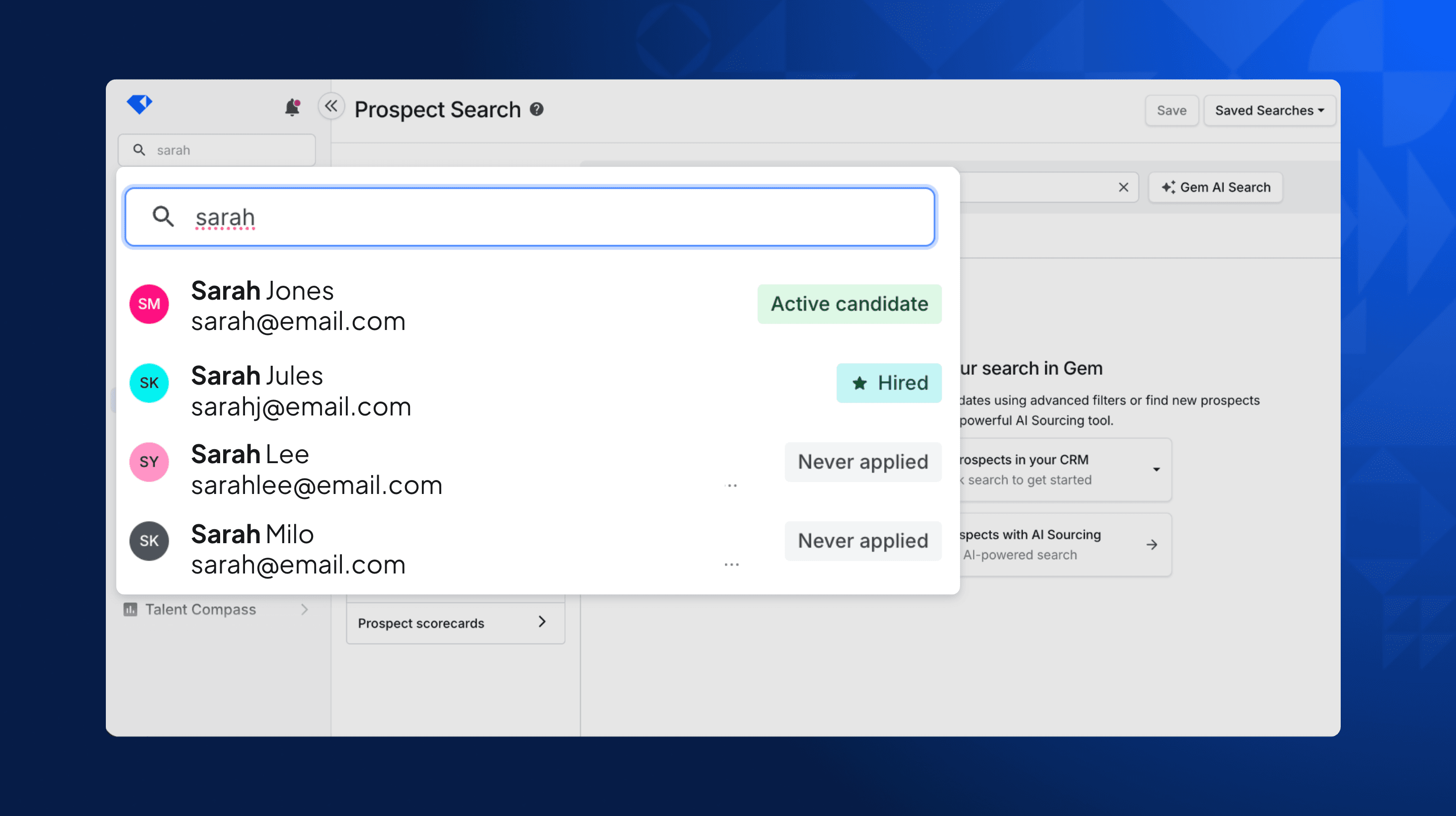
Find active ATS candidates faster across Gem
If you’ve ever been frustrated by search results that don’t show you the most relevant information, we get it. That’s why we’ve updated search functionality so the people who matter most to you rise to the top. Global Search now surfaces active ATS candidates first, followed by hired, rejected, then prospects. Even better news: There’s no setup needed. You can check it out right now by searching for a candidate in Gem’s search bar.

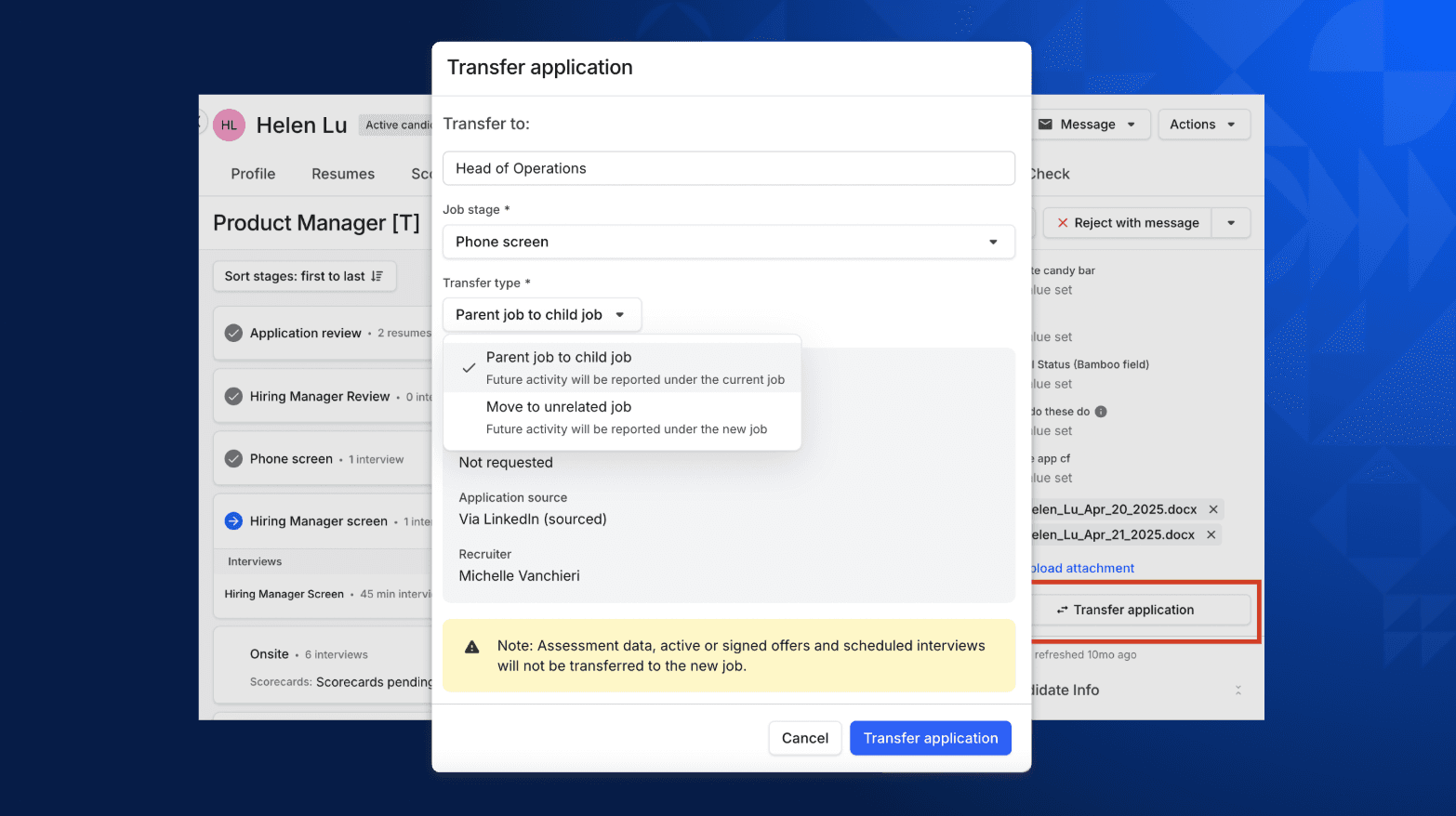
Keep key context when you transfer candidates between jobs
Sometimes a candidate is the perfect fit for your company — but not the role they applied for. And it’s not always easy to transfer them to a new role without starting from scratch. But now you can move a candidate's application to a better-fit role without losing key context, including scorecards, EEOC data, source, attachments, and more. To try it: Open the candidate's application → right sidebar (below resume/attachments) → Transfer candidate. Learn more in our Help Center.

Save time with the new hiring meeting flow and scheduling updates
Schedule hiring meetings faster: We’ve made it easier to schedule interview debriefs and hiring team syncs. Watch the quick demo to see the new flow in action, or read more about scheduling interviews in our Help Center.
Update scheduling blocks with ease: Need to update an interview plan to span multiple days or include a break? Simply update the schedule, and Gem will automatically split the event into accurate time blocks in your calendar — no extra steps needed. Watch a quick demo from our product team, or check out this guide to learn more about rescheduling interviews in Gem.


Other key updates
Gem ATS
Pay Transparency Templates: Create multiple compensation sections for job posts with tokens for min/max/frequency. Manage it all in the new Compensation section under Admin Settings > ATS > Job boards & posts > Pay transparency. Learn more about compensation fields in our Help Center.
Everyday productivity enhancements: Easily search for Gem ATS settings in Admin Settings, create referrals from the homepage or directly from a job, edit job posts with a side-by-side preview, and assign the source when you upload candidates.
New & improved Gem ATS integrations
We're building and enhancing integrations every month — see the full list at integrations.gem.com/gem.
Certn: Send background checks from anywhere in the process. Works even if the candidate existed before enabling the integration. Learn more about the Certn Integration.
Docusign enhancements:
Send offers/e-sign requests from your own Docusign alias. Set it up in Profile Settings > Docusign settings.
Build offer templates fully in Gem with new Docusign-only tokens for optional attachments, text, checkboxes, and company signer approvals. Learn more about the Docusign Integration.
HiBob HRIS enhancements: Assign values to employee custom fields when you push a candidate into HiBob HRIS. Map it out in Admin Settings > Integrations > HRIS Integrations panel.
We think you’ll agree these updates will set you up for a streamlined and simplified work life in 2026. We’ll be back again in the new year with even more updates!
Share
Related posts
December 16, 2025
Introducing Gem's Fraud Detection Agent: Stop fraud before it wastes your team's time
December 9, 2025
Major updates to Gem's AI agents: AI Rediscovery, AI Talent Insights, and more

November 21, 2025
Gem’s November 2025 product releases
Your resource for all-things recruiting
Looking for the latest data, insights, and best practices? Welcome to the Gem blog. We've got you covered.


Get started today
See how Gem can help you hire with remarkable speed and efficiency